
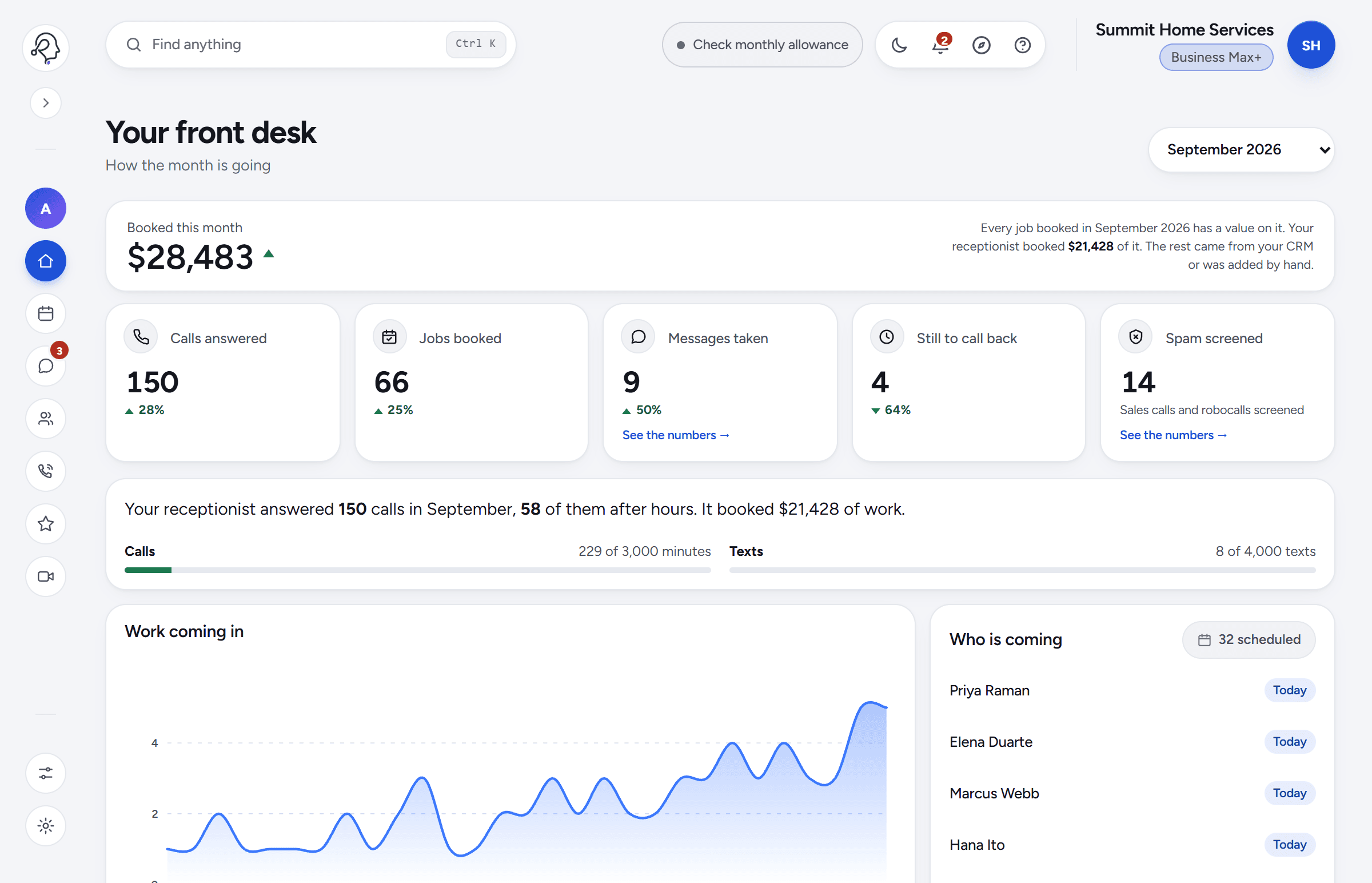
Your front desk
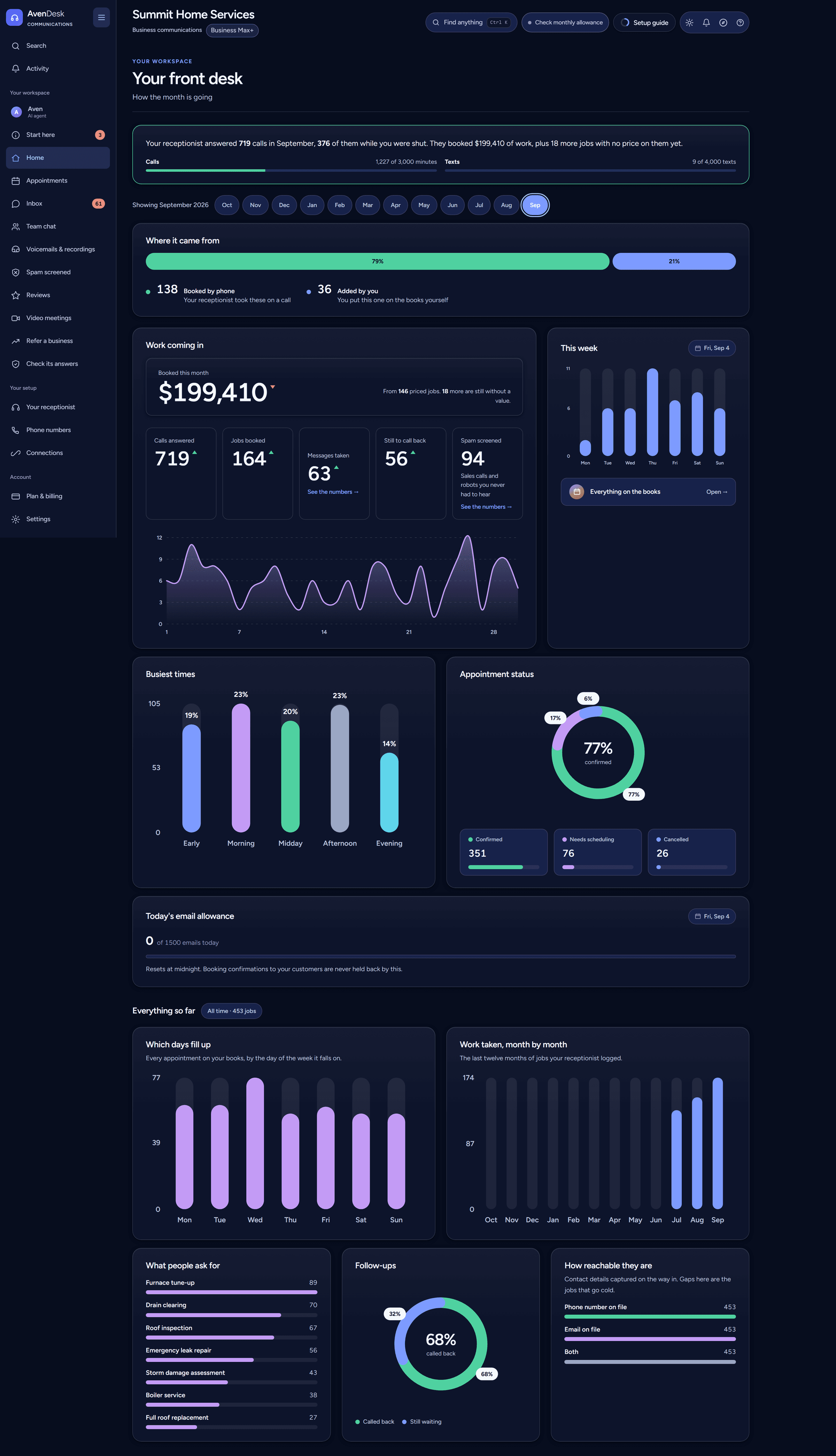
The morning read, in one screen.
Money booked this month, calls answered, where the work came from, your busiest hours, and which jobs are still waiting on you.
Answering 24/7
AvenDesk answers every call in two rings, day or night. Real customers are priced and booked into your calendar, robocalls and sales pitches are screened out, and every call, text and meeting lands on one list with the recording attached.
Plans from $39 per monthfree plan, no cardno setup feeno contract
Why it exists
A missed call is not a missed call. It is a customer who has already rung somebody else by the time you see the notification. AvenDesk picks up in two rings at three in the morning, answers what they asked, books the job, and has it in your inbox before you are awake.
Watch it work
A call answered at nine at night, priced, booked and confirmed. A sales call screened. Then every screen it lands in. The dashboard, the appointment book, the inbox and the meeting room in the film are real captures of the portal, not mock-ups, and the voice answering the call is the one AvenDesk actually answers with.
Download the film (MP4, 11 MB)
Robocalls and sales pitches ring the same number your customers do. Your receptionist answers every call, tells a pitch from a job, and spends its time on the people who actually want the work done.
Inside the portal
Fifteen pages behind one login. Every one of them is on the screen today.
The morning read, in one screen.
Money booked this month, calls answered, where the work came from, your busiest hours, and which jobs are still waiting on you.
Every job on the books.
Taken on a call, agreed over text, or typed in by you. Move one, cancel one, price one, and play the recording beside it.
Everyone who rang, texted or wrote.
Messages in, texts out, call transcripts and scheduled follow-ups on one screen, because they are one relationship rather than four.
Your staff, off the group text.
Channels and direct messages for the people you work with, over the internet rather than over a phone number.
Hear it for yourself.
The rare call it could not take, and every call it did — played back in the browser with the transcript beside it.
The calls you never heard.
Sales robots and cold callers caught before they reached you, listed with the numbers they came from so you can block them.
A reply, already drafted.
Google reviews land here with a response written for you. Nothing posts in your name until you have read it.
Business Pro and upA room on the same login.
Schedule a video call, or open your personal room now, and send a link the other side can just click — no download and no second subscription.
Mark its homework.
Read what your receptionist told a customer and say whether it was right. What you correct is what it says next time.
Ask about your own business.
Our assistant, answering you rather than your customers. Ask in your own words — busiest week, who never called back, what changed since May.
How it sounds, and what it says.
Its name and voice, your opening line, house rules, the jobs you refuse, the hours it books into, and who a caller is put through to.
Your line, and any more you need.
The included number, call forwarding set up with your own carrier's codes, and extra lines at a published price you can cancel yourself.
Into whatever you already run.
Your calendar, the mailbox replies go out from, and a webhook or HubSpot key that pushes every job onward.
Every figure behind the bill.
Minutes, texts and chats used this month against what you bought, the bill itemised line by line, your card, and every receipt.
All of it, one desk
Answered in about two rings, every hour of every day. It knows your prices, your hours and the jobs you turn down, and it books the appointment rather than taking a message.
Business texting registered with the carriers, threads that pick up where the call left off, and follow-ups scheduled for the people who never rang back.
Your own room, always open, and a scheduler for everything else. The other side clicks a link — no download, no account — and the notes land on the customer the meeting belonged to.
Every call, text and meeting arrives on one screen with a value on it, so the month adds up to a number instead of a feeling.
Not a mockup
Seven screens from the real portal, filled with sample data rather than drawn for this page.
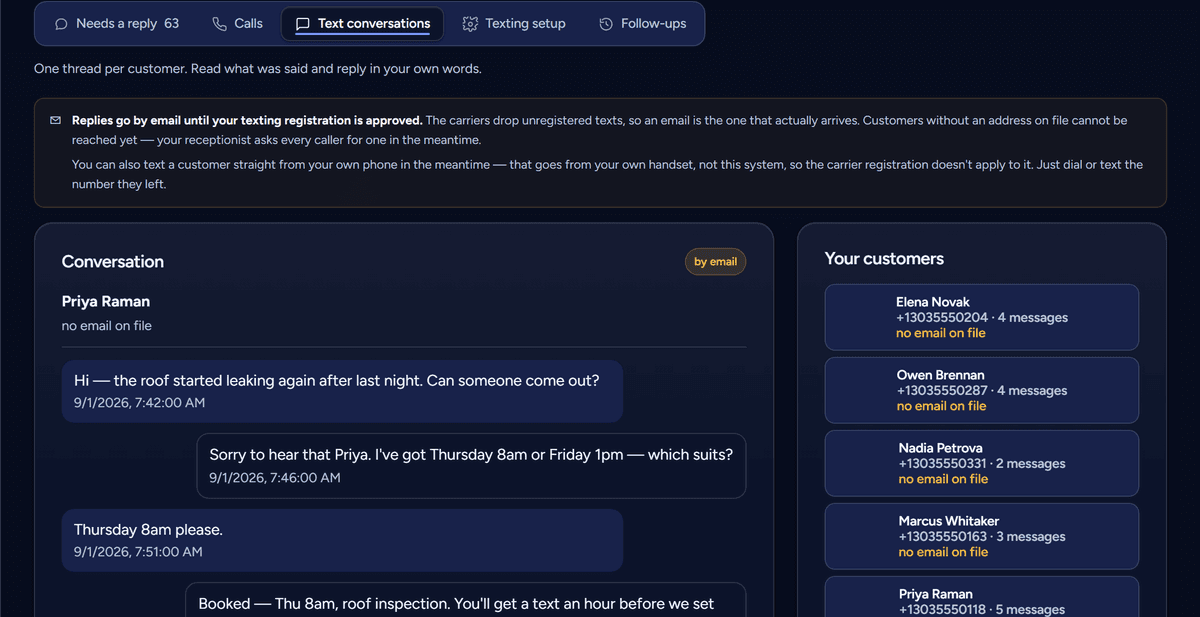
Texts, in the thread the call is in
A customer texts, your receptionist answers, and the booking it made is on the same conversation. Reply from here in your own words whenever you want to take over.
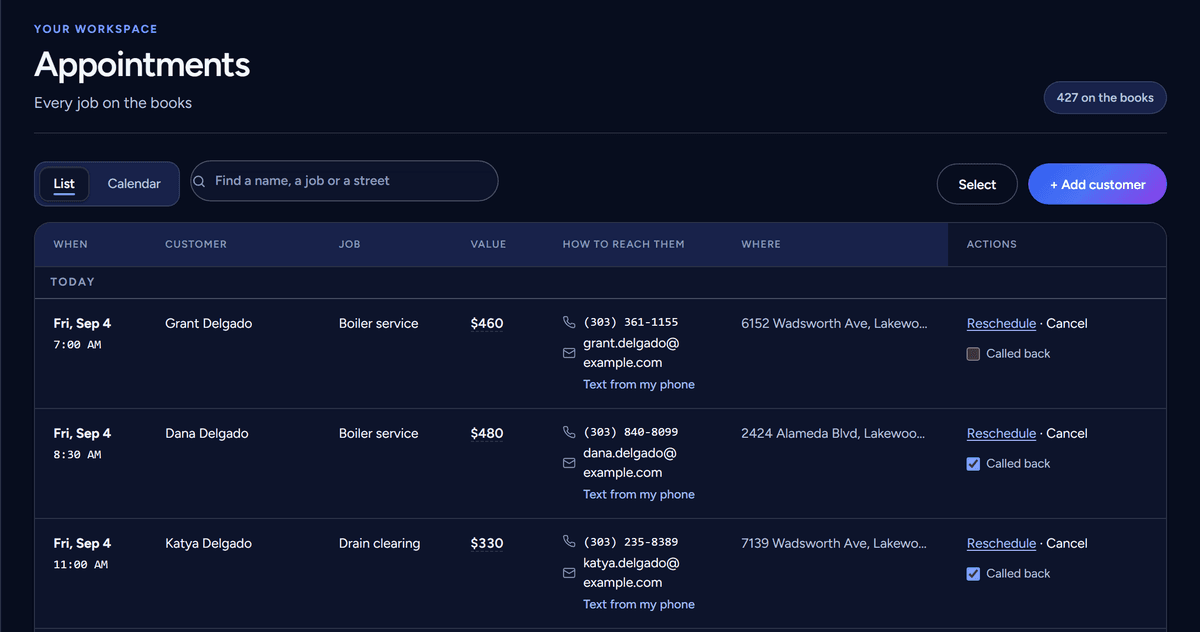
Every job on the books
Taken on a call, agreed over text, or typed in by you — one list, with the price, the address and how to reach them on every row.
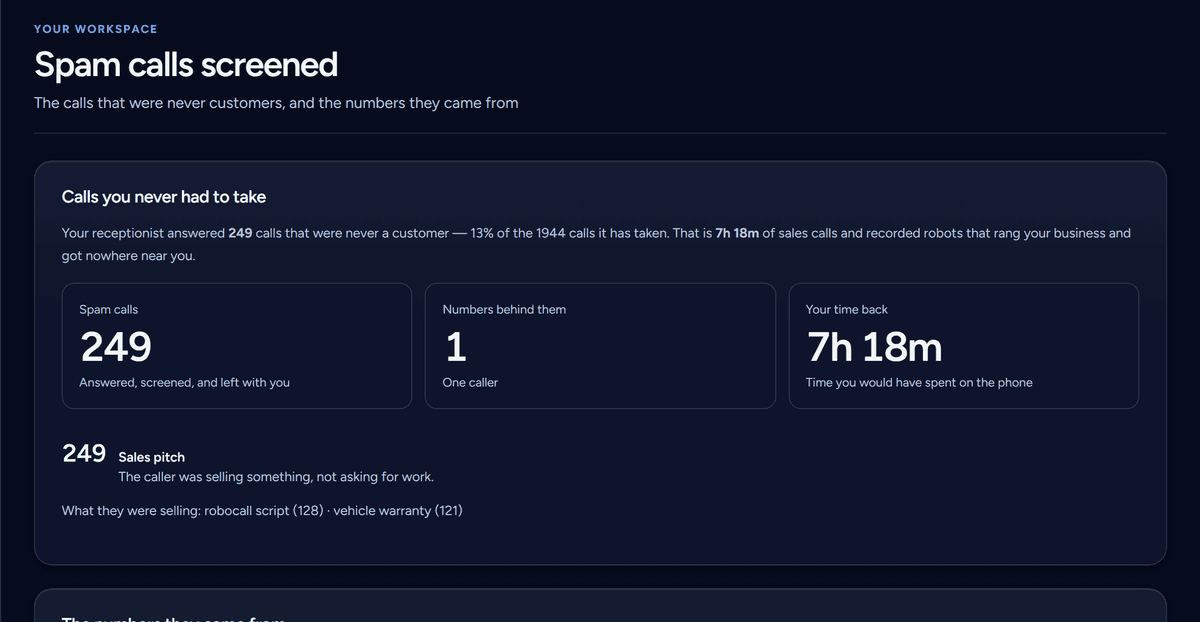
The calls you never had to take
Sales robots and cold callers screened before they reach you, counted, and listed with the numbers behind them — including the time it gave you back.
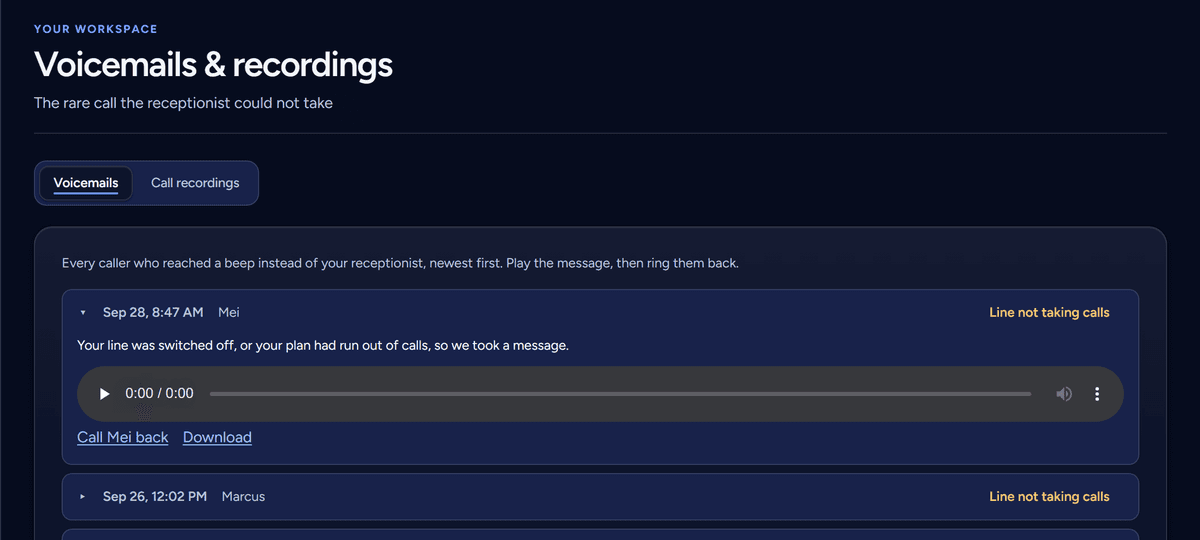
The rare one it could not take
A message left at a beep is playable here, with why the call ended up there and a Call back button that does what it says.
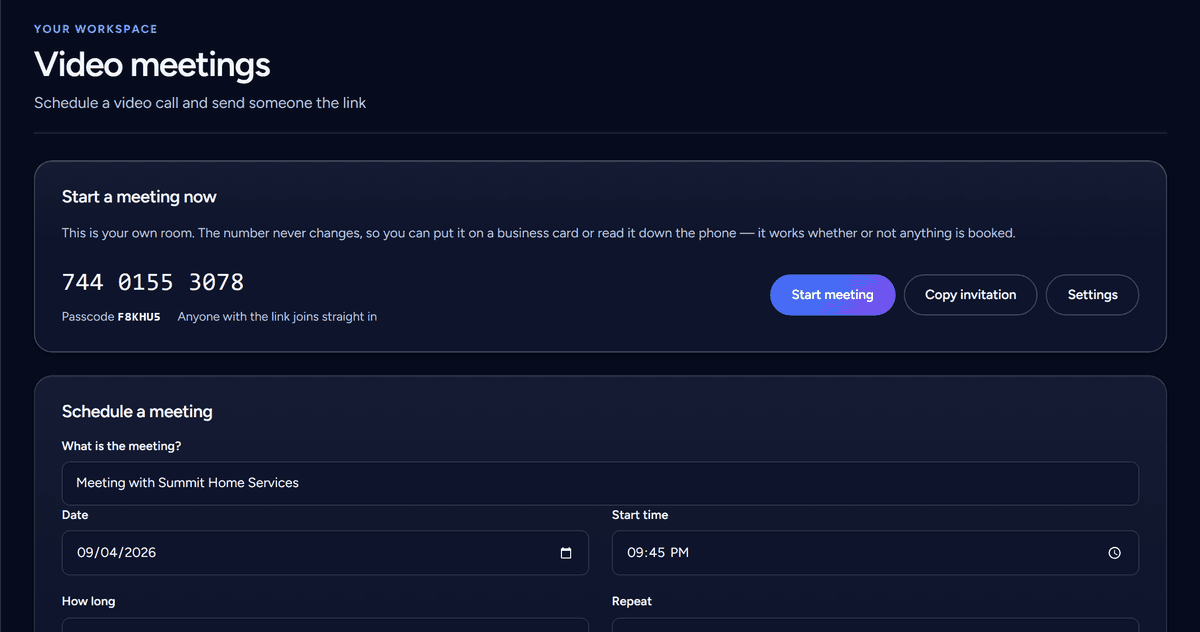
A meeting room, always open
Your own number that never changes, and a scheduler for everything else. The other side clicks a link — no download, no account, no second subscription.
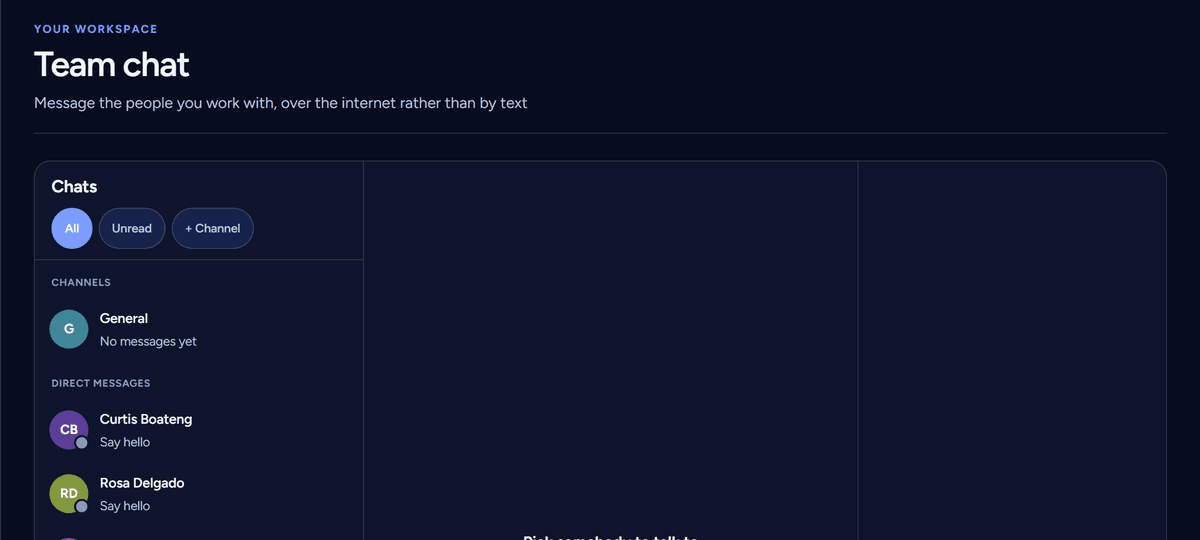
Your staff, off the group text
Channels and direct messages for the people you work with, over the internet rather than over a phone number — so nothing you say to your own crew comes out of your texting allowance.
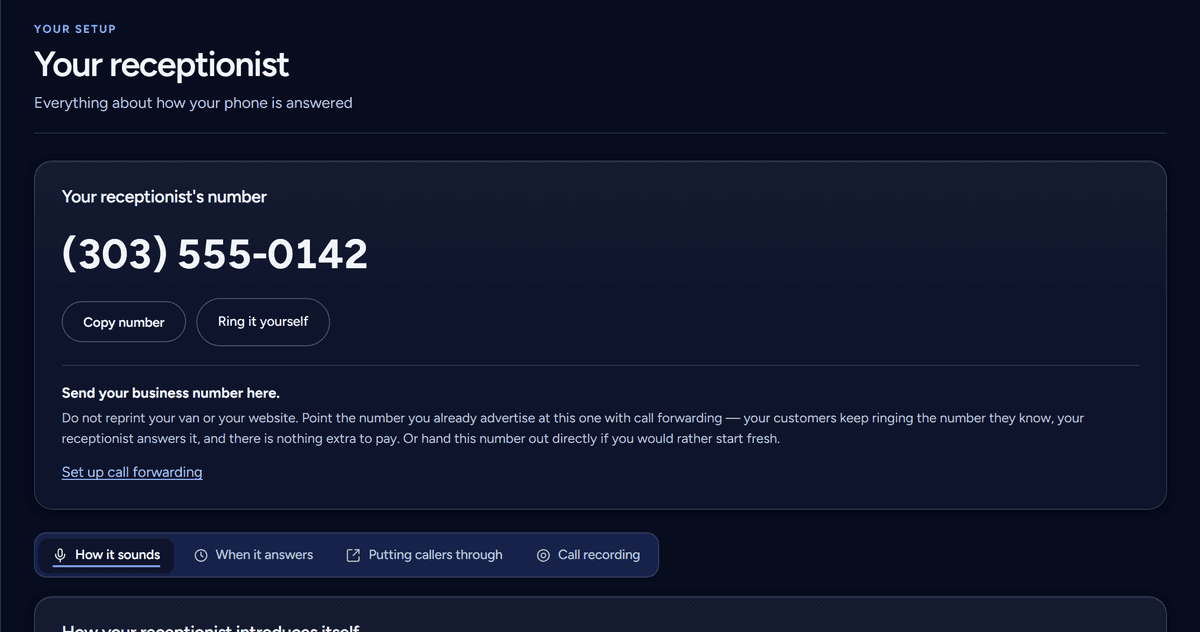
How your phone gets answered
Its name and voice, the opening line, the house rules, the jobs you turn down and the hours it books into. Change one and it applies on the next call.
Your portal
One login per business, on a laptop or in the van. Appointments, calls, texts, chats, meetings and reviews in a single list — and nobody sees it but you.
For the owner
One screen answers the only question worth asking on a Monday: was answering the phone worth it. Money booked this month, calls answered, where the work came from, and the jobs still waiting on a call back.
For the van
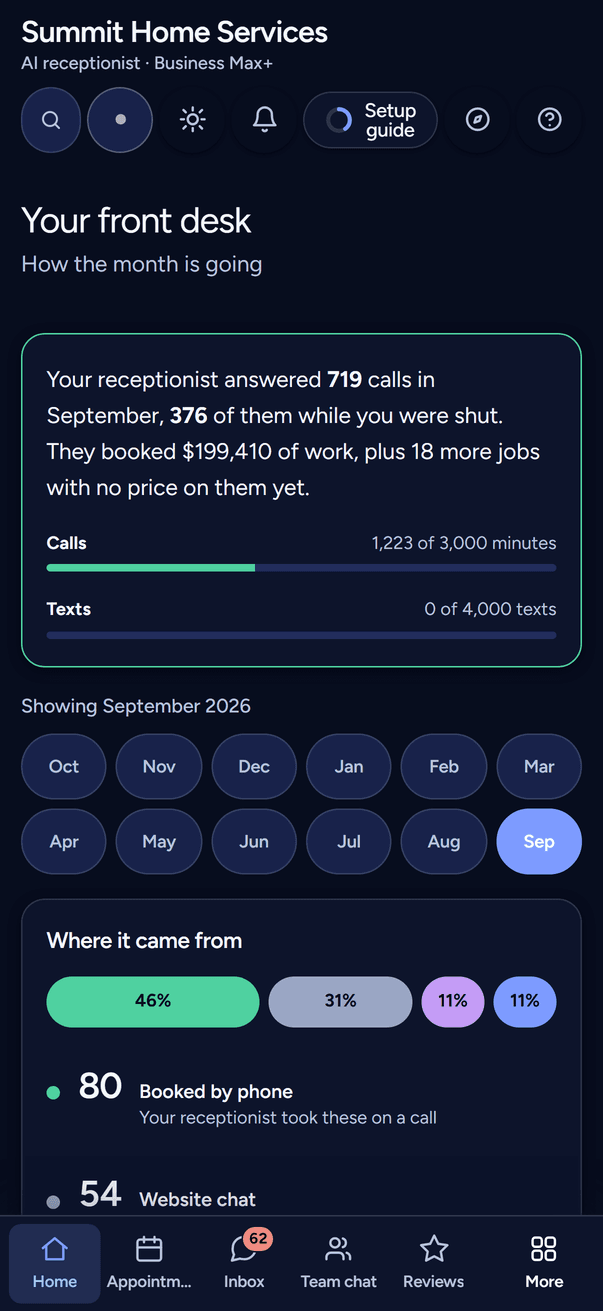
The portal is the same product on a phone — not a cut-down app. Read the transcript of the call you just missed, text the customer back, move a job, and see the day's list, from the seat of the van.
The relay
It does not matter how the customer got in touch. Every lead emails you and writes the same row in your portal, so you never have to go looking for it.
Anywhere
On a call, in a text conversation, or typed straight into your portal. All three write to the same list.
Your inbox
Who it was, what they wanted, their number, and how they got in touch — sent the moment it happens, whether you were reachable or not.
Your portal
The same job on your dashboard with the recording and transcript attached, ready to reschedule, cancel or price.
Every lead, every time
In your inbox
Their name and number, what they asked for, and which channel it came from.
In your portal
The same job on your dashboard, with the recording and transcript, ready to move or price.
Business communications platform · all business communications
AvenDesk
The phone, the texts and the meeting room — behind one login, on one bill, in one list.
Video meetings that run in the browser, the way Zoom does — no download, no separate account, and a link the other side can just click. Because it is the same portal, the meeting sits on the customer it belongs to: the booking, the call recording and the meeting notes end up in one place instead of three.
What it costs
When a good month runs long
Most metered services cut you off, or quietly bill you for a month you never agreed to. We do neither. Your receptionist keeps answering, you are told what it is costing as it happens, and you have 10 days to settle it.
See it answer your phone for real, before you pay anything.
$0per month
No card, no trial to run out · stay on it as long as you like
What it meters
At the limit it STOPS. Your number keeps ringing and callers come straight through to you, but the receptionist does not answer again until the month resets or you upgrade.
Roughly 5 calls a month, at three minutes each
One location, one line. For the calls you are currently missing.
$39per month
$39charged today and monthly after · cancel any time
What it meters
Past the allowance it keeps answering — the extra is simply charged, and the line is never cut off.
Roughly 100 calls a month, at three minutes each
Recommended
The busy trade — enough headroom that you stop watching the meter.
$129per month
$129charged today and monthly after · cancel any time
What it meters
Past the allowance it keeps answering — the extra is simply charged, and the line is never cut off.
Roughly 330 calls a month, at three minutes each
Several vans, several lines, or a season that does not let up.
$349per month
$349charged today and monthly after · cancel any time
What it meters
Past the allowance it keeps answering — the extra is simply charged, and the line is never cut off.
Roughly 1,000 calls a month, at three minutes each
free plan, no card/no setup fee/no contract/stop at the end of any month
On every plan, whichever you pick
Every plan includes a phone number. Business Pro includes 2 in all, and Business Max+ includes 4 in all. Any line beyond what your plan includes is $2 a month — you buy it in your portal and you can cancel it there, which stops the charge.
And what you will never be billed for
When you reach the limit
The allowances above are real limits, not fair-use wording. What they are not is a way to bill you more.
We tell you early
An email and a flag in your portal while there is still room to act — not a notice after the fact.
It keeps answering — on a paid plan
The line is not cut off and nobody reaches a dead number. Usage past the allowance is charged at $0.20 a minute and $0.03 a text — the same rate the portal sells minutes at, so waiting costs you nothing extra. Buying a fixed pack ahead of time is the only cheaper route: $15 for 100 extra minutes. Rather it stopped? One setting in your portal sends calls straight to you instead, and nothing extra is charged.
On the free plan, it stops
This is the one place the free plan works differently, and it is worth knowing before you rely on it. Once the 15 receptionist minutes are gone, even partway through a call, the receptionist stops answering for the rest of the month — your number still rings and callers are put straight through to you instead, so nobody reaches a dead line, but the AI does not pick up again until the month resets. Video meetings are capped at 20 minutes a day rather than by the month. Nothing is charged as an overrun, because there is nothing to charge it to: upgrading is what starts it answering again.
You settle what you went over by
The balance is shown in your portal as it builds, and you pay it off there. Leave it unpaid past those days and the account can be suspended until it is settled — so it is worth watching, and worth moving up a plan if it keeps happening.
Asked before
Every figure below is the real one. Nothing here changes after you sign up.
At the checkout. Signing up is three steps — choose a plan, fill in your details, add a card — and your first month is charged there and then, with the same figure on the same day each month after. Your portal opens the moment it goes through. There is no free trial on the paid plans, so there is nothing to forget to cancel and no date on which a bill appears by itself. Stopping is self-serve in the portal and takes no longer than signing up did — you stay on until the end of the month you have paid for, and nothing renews after that. Whatever the receptionist booked stays yours, and exports from the portal. If you would rather see it work before paying, that is the free plan — roughly five calls a month, no card, and it does not run out or turn into anything. Move up when the calls do.
No — screening them is part of answering the phone, and it is on every plan, the free one included. When a caller turns out to be selling something, your receptionist says plainly that it is your business's AI receptionist, that you don't accept sales or spam calls, and asks customers to say so; you choose whether it then hangs up on anyone who doesn't within 7 seconds. Calls it screens don't use up your minutes. Anyone who sounds like a customer — a job, a price, a time that suits — is never screened for the rest of that call, so a real customer is answered and booked as normal. On Business Pro and Business Max+, your portal lists every screened call with the number and what they were selling, so a repeat caller can be blocked with your phone company. We do not block numbers ourselves — only your phone company can.
Your receptionist keeps answering — that is the point of it. We flag it in your portal and by email at 80%, and past the allowance the extra usage is charged at $0.20 a minute and $0.03 a text. Pay it in the portal within five days of going over, or your receptionist pauses and calls come straight to you until you do; the month's balance is due 10 days after the month ends. It is shown to you as it builds, so it is never a surprise, and if it goes unpaid past those days the account can be suspended until it is settled. If you would rather buy more time before you get there, the portal sells it at the same rate — $0.20 a minute and $0.03 a text, up to $20 at a time — so waiting costs you nothing extra, and past that it points you at a bigger plan because that is the better deal. The one cheaper route is a fixed pack bought ahead: $15 for 100 extra minutes. And if you would rather never pay for extra at all, one setting in the portal makes your receptionist stop at the allowance instead and send calls straight to you, with nothing charged.
Count the calls you take in a normal week and multiply by four. Business covers roughly 100 calls a month, Business Pro roughly 330 and Business Max+ roughly 660, at about three minutes a call. If you land between two, start lower — moving up in the portal takes one click, and your usage is on the dashboard from day one.
On Business Pro and Business Max+. Your Google Business profile connects to the portal, new reviews land there, and a reply is drafted for you to approve or rewrite — nothing is ever posted in your name without you reading it first. Business does not include the review centre.
The next call
From $39 per month/a free plan that needs no card and does not run out/spam screened on every plan/stop at the end of any month
AvenDesk Assistant
From $39/mo · replies instantly
AI assistant · answers may not be perfect